Developers & agents
QR codes in ChatGPT
Instruct ChatGPT to answer with a markdown image pointing at https://useqr.app/q/{data}.png — the keyless API renders it inline with no plugin. For a reusable setup, build a custom GPT and import https://useqr.app/api/openapi.json as an Action; the spec declares no security schemes, so authentication imports as None.
The zero-setup route: a markdown image
ChatGPT renders markdown images in its responses, and a UseQR image URL is a generation call. So the whole integration is an instruction:
When I ask for a QR code, reply with a markdown image in the form
where{DATA}is my payload, URL-encoded.
Ask for "a QR code for example.com" and the answer contains
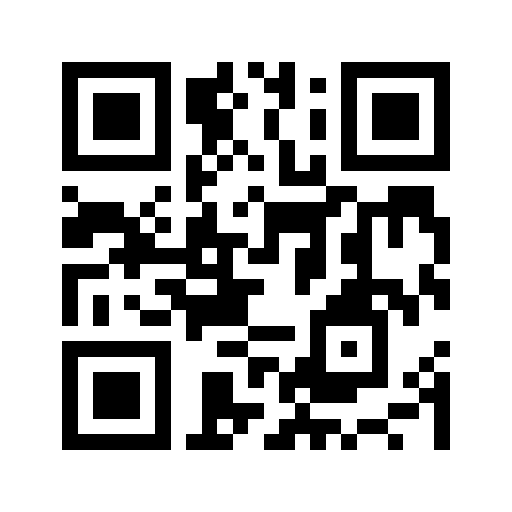 — which renders as a
scannable code, inline, in the chat. It works because the API is
keyless: no credential exists for the
model to lack. Style and size ride as query parameters
(?s=1024, or the full /api/v1/qr?data=…&color=1d4ed8&style=rounded form), and
because output is deterministic and immutable-cached, a URL emitted in a chat today
renders identically when the conversation is reopened next year.
The one instruction worth adding: URL-encode the payload. An unencoded & or
space is the classic way a model builds a broken image URL. If it happens anyway, the
API's error is application/problem+json with a fix field — paste it back into the
chat and the model corrects itself.
The reusable route: a custom GPT Action
For a team tool — "WiFi code maker", "event badge generator" — build a custom GPT and give it the API as an Action:
- Create a GPT → Configure → Actions → Import from URL.
- Import
https://useqr.app/api/openapi.json. - Authentication: None — the spec is OpenAPI 3.1 and declares no security schemes, so this is the default the import offers. There is no step 4.
The Action surface then includes the generate endpoint, the typed builders (WiFi, vCard, UPI, calendar, geo and the rest — with spec validation, so a malformed field fails with an explanation), decode, verify and batch. Details of what each does: the OpenAPI page.
The absence of auth is the entire reason this stays a two-minute setup. Any API requiring a key would mean provisioning a credential, pasting it into the GPT configuration, and rotating it later — the steps where most Action setups die.
Sensible instructions for a QR GPT
If you build the custom GPT, three lines of system prompt prevent most bad outputs:
- Prefer typed calls (
/api/v1/wifi?ssid=…) over hand-built payload strings — the server owns the escaping rules. - For styled codes, call verify before presenting the result, and act on its
issues(why). - Never put passwords or payment credentials into a code without telling the user what a QR image contains in plain text.
What ChatGPT cannot do here
Honesty about the boundary: ChatGPT cannot scan a printed code for you reliably — image-understanding of dense QR matrices is not decoding; use a real scanner. It also cannot make a code's destination editable after printing — that is a dynamic QR service question, not a model capability. And a plain (non-custom) ChatGPT conversation may claim to have "generated" a QR code as an image — treat any code not produced by an actual generator as unverified until you scan it.
FAQ
Can ChatGPT generate QR codes?
Not natively as reliable images — but it can emit a markdown image URL against a keyless QR API, which renders a real, scannable code inline in the response. Instruct it to use https://useqr.app/q/{data}.png with the payload URL-encoded.

How do I add QR generation to a custom GPT?
Import https://useqr.app/api/openapi.json as an Action with authentication set to None. The spec declares no security schemes, so no key is required, and the GPT gains generate, typed payload, decode, verify and batch operations.
Are QR codes ChatGPT draws as images trustworthy?
No. A model-drawn image of a QR pattern is not the output of an encoder and usually fails to scan. Only trust codes produced by an actual generator, and verify by scanning before you publish or print.
Do QR image links from a ChatGPT conversation expire?
UseQR URLs do not — output is deterministic and served with immutable caching, and the stability contract keeps v1 URL shapes working. The link renders the same code whenever the conversation is revisited.
Try it — free, no signup
Related
- Using QR codes from an AI agent — The integration ladder for agents that need QR codes — from a bare markdown image URL through the keyless API to MCP tools — and the API design that lets agents self-correct.
- OpenAPI for QR generation — UseQR publishes an OpenAPI 3.1 spec at /api/openapi.json with no security schemes — how agents, GPT Actions and code generators consume it, and what typed clients look like.
- A free QR code API with no key — UseQR's REST API needs no signup, no API key and no SDK. GET /api/v1/qr?data=hello returns a PNG. The shortest form is /q/hello.png, which drops straight…
- QR codes in Claude — Add the keyless UseQR MCP server to Claude in one command — generate, decode and verify QR codes in chat, embed them in artifacts, and script them in Claude Code.