How-to guides
How to make a QR code in Notion
Add an image block in Notion, choose the Embed link tab, and paste https://useqr.app/q/your-data.png — the QR code renders immediately, no file to download or upload. The same URL works in markdown syntax and in database Files & media properties, so every row of a Notion database can carry its own code.
1. One URL is the whole method
UseQR serves a QR code PNG directly at a path you can write by hand:
https://useqr.app/q/https%3A%2F%2Fexample.com.png
Anything between /q/ and .png (URL-encoded) becomes the code's payload. For more
control — size, colours, error correction — use the
full API URL instead:
https://useqr.app/api/v1/qr?data=https://example.com&size=600
Both return a raw image, which is exactly what Notion's embeds want.
2. Put it on a page
- Image block: type
/image, switch to the Embed link tab, paste the URL. The code renders in place; drag the handles to size it. - Markdown: Notion imports markdown, so this line works in any imported document or pasted markdown content:
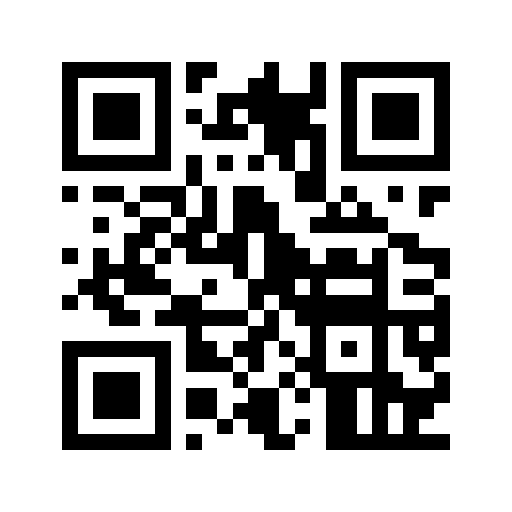
- Callout or column blocks: an image block nests inside both — a code beside its explanation is a tidy pattern for internal wikis and event pages.
If the payload is not a URL — plain text, a WiFi payload — build it in the generator first and copy the API link, or upload the downloaded PNG with the image block's Upload tab. Uploading also suits styled codes with logos.
3. Use it in databases
The same URL works in a Files & media property via Embed link, which unlocks the
genuinely useful pattern: an asset-register or inventory database where each row shows
the QR code for its own ID or URL. Combine with a formula property that builds the link
("https://useqr.app/q/" + prop("Asset ID") + ".png" as a text column to copy from — Notion
formulas cannot render images themselves, but the gallery card image can show the embedded
file). For dozens of physical labels from that database, export to CSV and run it through
the bulk tool at print resolution instead — embeds are screen-resolution
conveniences, not print files.
4. Know how Notion treats the embed
An embedded-by-link image is fetched from the URL when the page renders — Notion does not permanently copy it the way Google Docs does. Practical consequences:
- The image needs the viewer to be online (true of Notion pages generally).
- The code itself is static — the payload is baked into the URL, and static codes never expire.
- If you want the page to be self-contained — say, before exporting the workspace — use the Upload tab with a downloaded PNG instead of the link.
5. Verify once
Scan the rendered block straight off your screen — phones handle scanning from a monitor without fuss — or paste the image URL into the validator to confirm it decodes to exactly what you intended, encoding and all.
Gotchas
- Encode the payload.
/q/https://example.com/a b.pngbreaks on the space and slashes; URL-encode what sits between/q/and.png. The?data=form is more forgiving. - The Embed tab vs image block: a generic
/embedblock wraps the image in an iframe card; the image block renders the PNG cleanly and resizes better. - Exports: PDF and markdown exports of the page include the image as rendered — check the exported PDF if the page is destined for print, and mind the code's quiet zone against dark page backgrounds in dark mode. A code on Notion's dark theme sits on its own white tile only if the PNG has a white background — avoid transparent codes in Notion dark mode.
Build the URL and paste it into an image block: make a QR code.
FAQ
How do I add a QR code to a Notion page?
Add an image block, choose the Embed link tab, and paste https://useqr.app/q/your-encoded-data.png or a full API URL. The code renders immediately without downloading a file.
Can Notion database rows each have a QR code?
Yes — a Files & media property accepts an embedded link, so each row can reference the image URL for its own ID. For printable labels, export the database to CSV and use a bulk generator.
Does the QR code break if UseQR is unreachable?
The embedded image needs fetching when the page renders, so upload the PNG instead if you want the page self-contained. Printed or downloaded codes are static and work regardless.
Why does my Notion QR code look wrong in dark mode?
A transparent or dark-styled code loses contrast against Notion's dark background. Use a code with a solid white background so it carries its own light surface everywhere.
Try it — free, no signup
Related
- How to make a QR code in Google Docs — Insert → Image → By URL with a UseQR API link puts a QR code in a Google Doc in one step — no download, no upload. Docs stores its own copy of the image.
- How to embed a QR code in HTML — Three ways - an img tag with the API URL, the /q/ direct path for markdown, or inline SVG with zero external requests. With sizing, lazy-loading and alt text.
- A free QR code API with no key — UseQR's REST API needs no signup, no API key and no SDK. GET /api/v1/qr?data=hello returns a PNG. The shortest form is /q/hello.png, which drops straight…
- How to make a QR code — Pick the type, enter your details, check the size against the scanning distance, and download SVG for print or PNG for screens. With UseQR the whole…
- QR codes in markdown — One line of markdown puts a QR code in any README or docs page via useqr.app/q/hello.png. Encoding rules, sizing, and when to commit the image.